How to eliminate double entry in your catering business

How to eliminate double entry in your catering business
Eliminate double entry by entering each event once, either into one shared record that every function reads from, or by automating the two highest-pain handoffs with event-driven sync. For most small-to-medium caterers, that means BEO to contract and contract to deposit invoice. Choose a single platform if you already run one core system with weak edges. Choose orchestration if you’re stitching together three or more disconnected tools.
- Single platform: best when one system already handles most of your workflow.
- Orchestration layer: best when you’re bridging booking software, e-signing, POS and accounting separately.
Catering teams running this properly report saving 10+ hours a week on admin, and recovering thousands in overdue invoices that used to slip through the cracks between systems. That’s the kind of outcome purpose-built tools like CaterFlow AI are designed to deliver.
Key Takeaways
Eliminating double entry requires a single authoritative event record, event-driven sync between your highest-pain handoffs, and validation checks at every automated write.
| Point | Details |
|---|---|
| Fix architecture, not staff | Double entry is a systems design flaw, not a discipline problem, so treat it as one. |
| Prioritise two handoffs | Automate BEO to contract and contract to deposit invoice before touching anything else. |
| Use the 15-event threshold | Once you run 15 or more events monthly, automation typically outpaces the labour cost of manual entry. |
| Build in validation | Idempotency keys and mismatch alerts prevent duplicate invoices and reconciliation errors. |
| CaterFlow AI as the fix | Purpose-built automation that syncs quoting, invoicing and accounting integrations, saving catering teams 10+ hours a week. |
Table of Contents
- Why your team keeps typing the same booking into four systems
- Quick fixes to stop double entry today
- Automation approaches: one platform, orchestration, or iPaaS?
- Checklist: scope, pilot and roll out the fix
- Data validation and error handling strategies to maintain data integrity between systems
- Security and compliance considerations when integrating catering and accounting systems
- What operators get wrong about eliminating double entry
- How CaterFlow AI removes the retyping for good
- Sources
Why your team keeps typing the same booking into four systems
It’s not a training problem. It’s an architecture problem. Most catering businesses run on a stack that grew one tool at a time: an event CRM or BEO for planning, a contract or e-sign tool for terms, a POS for the day of service, and accounting software for the money. None of these were built to talk to each other by default.
Three failure modes show up again and again:
- Lag — data entered in one system doesn’t reach the next for hours or days, so someone re-keys it manually to keep things moving.
- One-way exports — a report goes from your event tool into a spreadsheet, but nothing flows back, so updates have to be entered twice.
- Duplicate integrations — two tools both try to sync with accounting, and both write the same invoice.
If you’re juggling more than three disconnected systems, manual spreadsheets can delay reporting by up to two weeks and quietly generate duplicate sales entries nobody notices until reconciliation day. As a rough rule of thumb, once you’re running 15 or more events a month, the labour cost of manual re-entry usually outweighs the cost of automating it.
Quick fixes to stop double entry today
You don’t need a six-month integration project to slow the bleeding. Start with process controls while you plan the bigger fix.
- Name one authoritative record. Pick the system that holds the “truth” for each event, whether that’s your BEO tool or your booking calendar, and standardise the fields everyone else pulls from: event ID, headcount, deposit status, menu version.
- Kill overlapping integrations. If two tools are both pushing invoices to your accounting platform, one of them has to go. Test for duplicate writes before you flip the switch on any new sync.
- Map your two worst offenders first. For most caterers that’s BEO to contract, and contract to deposit invoice. Fixing these two handoffs removes the bulk of the pain before you touch anything else.
- Add a human confirmation gate before POS. Automating the kitchen ticket without a check step is how allergen flags and last-minute headcount changes get missed.
- Reconcile daily, not monthly. A five-minute daily check against your source record catches drift while it’s still a small problem.
Pro Tip: Run a two-week parallel test before cutover: keep the old manual process running alongside the new automated one and compare outputs line by line. It’s the cheapest insurance you’ll ever buy against a systems migration gone wrong.
If your quoting process is still inconsistent from job to job, standardising your proposal template is a good parallel fix, since a messy quote is often where the duplicate data starts.
Automation approaches: one platform, orchestration, or iPaaS?
There are three practical patterns, and which one fits depends on your stack and your budget.
Stack unification means moving everything into one shared record: your event platform holds the booking, and every other function (contracts, invoicing, POS) reads from it rather than keeping its own copy. This is the cleanest option for data fidelity, because the structural fix for double entry is a single shared record or a native platform extension, not a person typing faster.
Event-driven orchestration uses triggers, like a signed contract firing a webhook, to automatically generate the next document. When an e-signature envelope completes, it can automatically flip the event status and trigger a deposit invoice, cutting a multi-day handoff down to minutes. Bidirectional flow matters here: sending an invoice out is only half the job if deposits and refunds don’t sync back to the event record.
iPaaS and no-code tools (think Zapier-style orchestration) sit between “buy one platform” and “build custom integrations.” They’re the cost-effective middle ground when you’ve got multiple systems but not yet the volume to justify a bespoke build.
| Approach | Best for | Trade-off |
|---|---|---|
| Stack unification | Caterers ready to consolidate to one core system | Migration effort upfront |
| Event-driven orchestration | Teams with a working core stack and clear handoffs | Needs clean trigger points |
| iPaaS / no-code | Multiple tools, moderate volume, limited dev budget | Less control than custom code |
Whichever pattern you choose, prioritise menu item matching, allergen flag propagation, idempotency (so a retry never creates a duplicate charge), and event-level P&L visibility so you can see what each job actually cost.
Checklist: scope, pilot and roll out the fix
Before you touch a single integration, run the numbers. Multiply events per month by hours spent per event on re-entry, then by your team’s hourly cost. That figure is your monthly bleed, and it’s what any automation spend needs to beat.
- Name one owner. Someone in ops or finance needs final say on field definitions and cutover timing, or the pilot stalls in committee.
- Map the two priority handoffs. Usually BEO to contract, and contract to deposit.
- Build the confirmation gate. A human checks the automated output before it reaches the kitchen or the ledger.
- Run a limited pilot. Ten to twenty events, not your whole calendar, so mistakes stay small.
- Verify deposit reconciliation and POS mapping before declaring the pilot a success.
Watch for these signs the pilot is working:
- Idempotent writes (no duplicate invoices on retry)
- Reconciliation time dropping week over week
- Fewer invoice disputes reaching your inbox
Remember to weigh hidden costs too. Manual reconciliation often hides friction beyond labour hours, credit notes, contract disputes, and late payments that erode margin quietly.
Data validation and error handling strategies to maintain data integrity between systems
Automation without validation just moves the errors faster. Build checks at each handoff point rather than trusting that a sync ran correctly.
Set field-level validation rules on your source record: headcount can’t be zero, deposit amounts can’t exceed the contract total, dates can’t fall in the past. Catching these at entry is far cheaper than catching them at invoice time.
Use idempotency keys on every automated write, a unique identifier tied to the event and action, so a retried sync updates the existing record instead of creating a second one. This single practice prevents the most common automation failure: duplicate invoices from a webhook firing twice.
Build a mismatch alert, not a silent failure. If your POS reports a headcount that doesn’t match the contract, or your accounting platform receives an invoice total that doesn’t reconcile with the deposit schedule, the system should flag it for a human, not push through regardless. Purpose-built catering platforms with POS integration reduce these errors by keeping allergen flags and order data linked rather than re-typed.

Finally, log every automated write with a timestamp and source. When something does go wrong, and eventually it will, you need to trace exactly which system triggered the change and when, rather than guessing across four different tools.
Security and compliance considerations when integrating catering and accounting systems
Connecting your event platform to accounting software means payment data, client contact details and financial records now flow between systems automatically. That raises the stakes on access control.
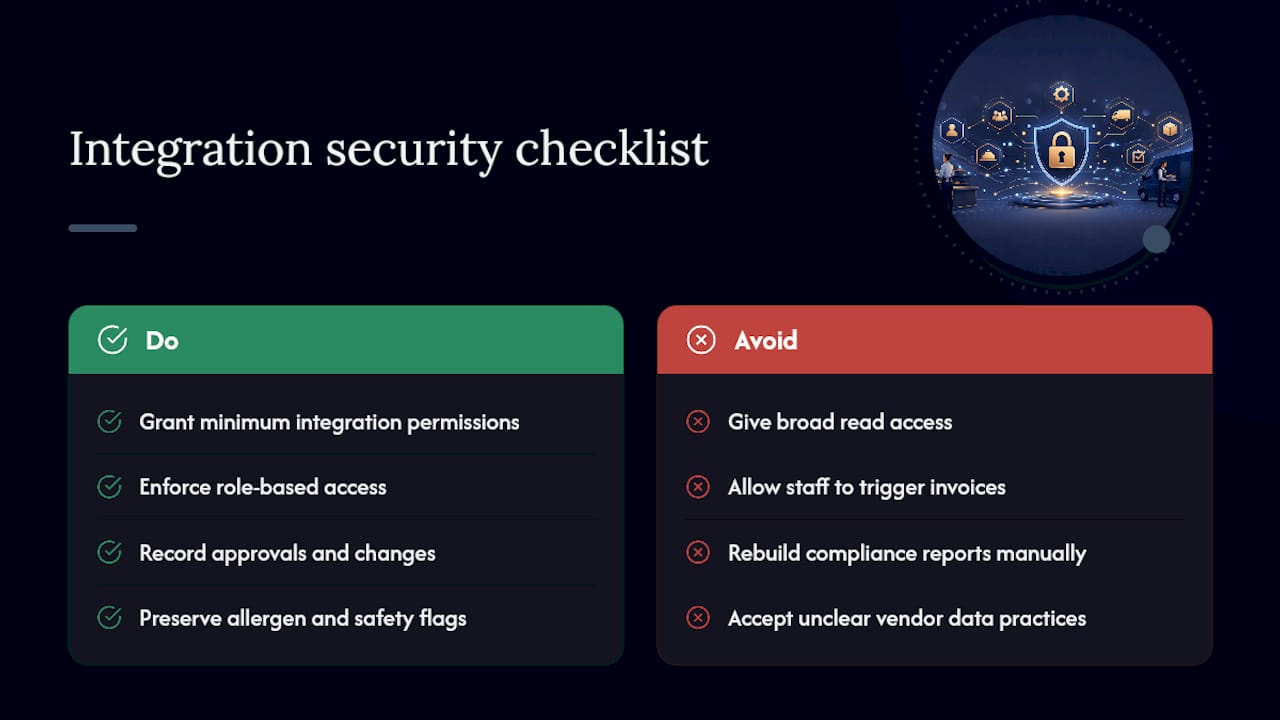
Limit integration permissions to exactly what’s needed. A sync that pushes invoices to Xero, QuickBooks or MYOB doesn’t need read access to your full customer database or historical payment methods. Scope every API connection down to the minimum required action.
Use role-based access on the catering side too. Not every staff member who can view an event needs the ability to trigger a deposit invoice or modify a contract, and audit logs should record who approved what.
Compliance matters beyond payments. Allergen and food safety flags need to travel intact from the booking record through to the kitchen ticket, since a dropped flag during a system sync is a genuine safety risk, not just a data hygiene issue. Post-event compliance reporting, whether that’s food safety documentation or a workplace incident log, should pull from the same authoritative event record rather than being reconstructed manually after the fact.
Before signing off on any integration, confirm where data is stored, whether it’s encrypted in transit, and how long records are retained. If a vendor can’t answer those questions plainly, that’s a signal to keep looking.
What operators get wrong about eliminating double entry
Most catering businesses treat double entry as a discipline problem, something you fix by asking staff to be more careful, double check their work, or use the spreadsheet properly this time. That’s the wrong diagnosis, and it wastes months.
The actual cost of duplication isn’t the ten minutes it takes to retype a booking. It’s the deposit that never gets reconciled, the allergen flag that drops between the BEO and the kitchen ticket, and the invoice that goes uncollected because nobody owns the follow-up. Those are architecture failures dressed up as people problems, and no amount of “try harder” fixes an architecture failure.
What actually moves the needle is treating each event as a single object that flows through your stack, not four separate records that happen to describe the same booking. Caterers using CaterFlow AI report saving over 10 hours a week once quoting, invoicing and reconciliation stop being manual, and recovering overdue invoice amounts that used to sit forgotten in a spreadsheet tab. That’s not a productivity tweak. That’s revenue that was already earned and just wasn’t being collected.
— Tim
How CaterFlow AI removes the retyping for good
Every workflow in this guide, from the single authoritative record to the confirmation gate before POS, is exactly what CaterFlow AI was built to automate for catering businesses.
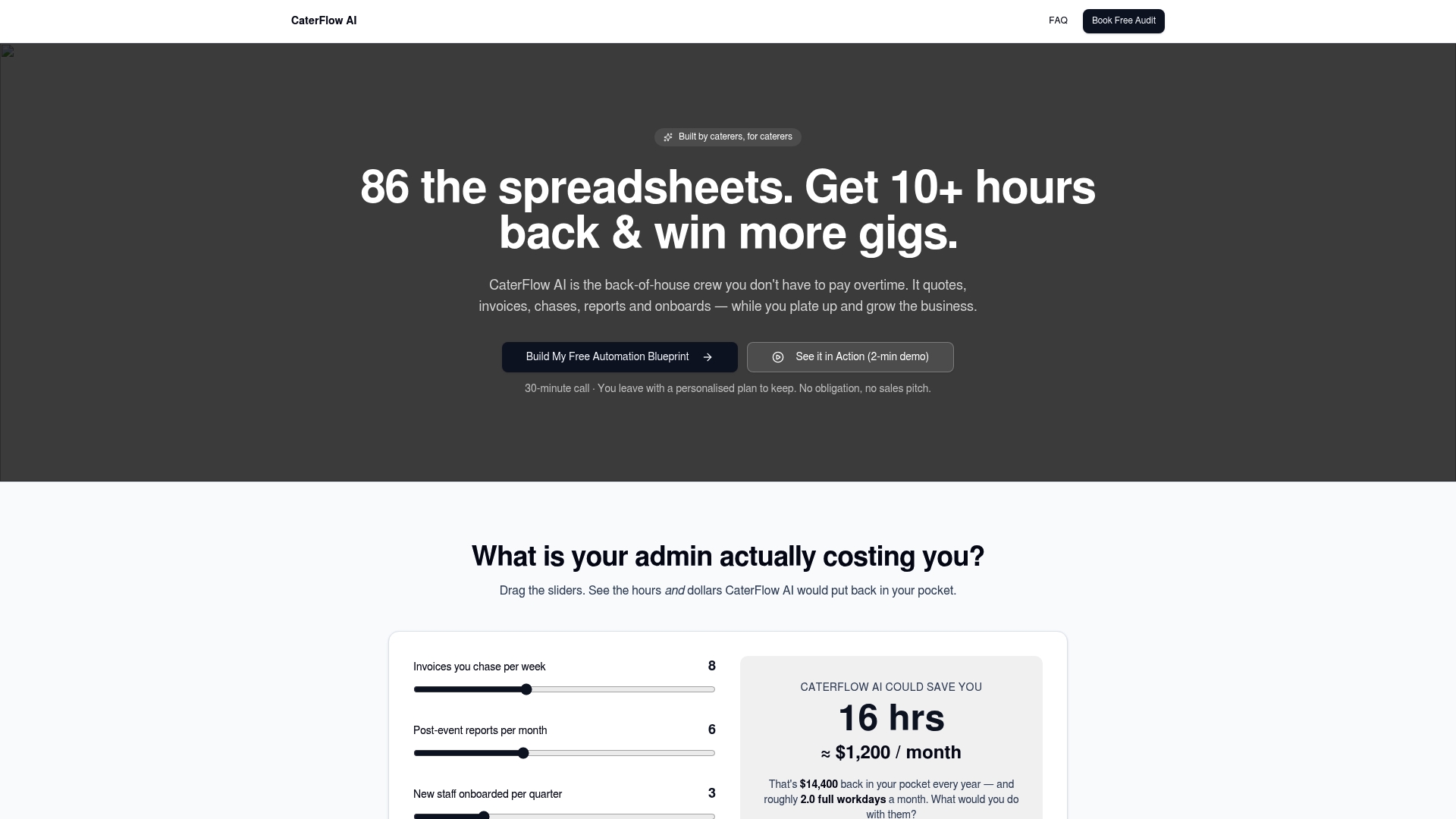
It generates quotes and invoices automatically from your event details, chases overdue payments without an awkward phone call, and syncs cleanly with Xero, QuickBooks and MYOB so your accounting team stops reconciling by hand. Clients using CaterFlow AI report saving 10+ hours a week on admin they used to lose to re-entry, and recovering significant amounts from overdue invoices that used to fall through the cracks between systems. If your team is still typing the same booking into four places, book a free audit or consultation and see exactly where your workflow is leaking hours and revenue.
Sources
- AI Bookkeeping for Catering & Food Service: 2026 Guide | AI Bookkeeping Tools 2026: Save 15+ Hours/Month on Accounting
- Cut Catering Order Chaos: 5 Tripleseat Workflows 2026
- Why Your Catering Team Enters The Same Booking Twice